
Give the Gift of Choice!
Too many options? Treat your friends and family to their favourite stores with a Bayshore Shopping Centre gift card, redeemable at participating retailers throughout the centre. Click below to purchase yours today!Purchase HereHome
3D Printing Logbook: Learn from 3D Printing Failures and Ensure Continuous Improvement in Print Quality, Maintenance and Speed through Systematic Record Keeping
Coles
Loading Inventory...
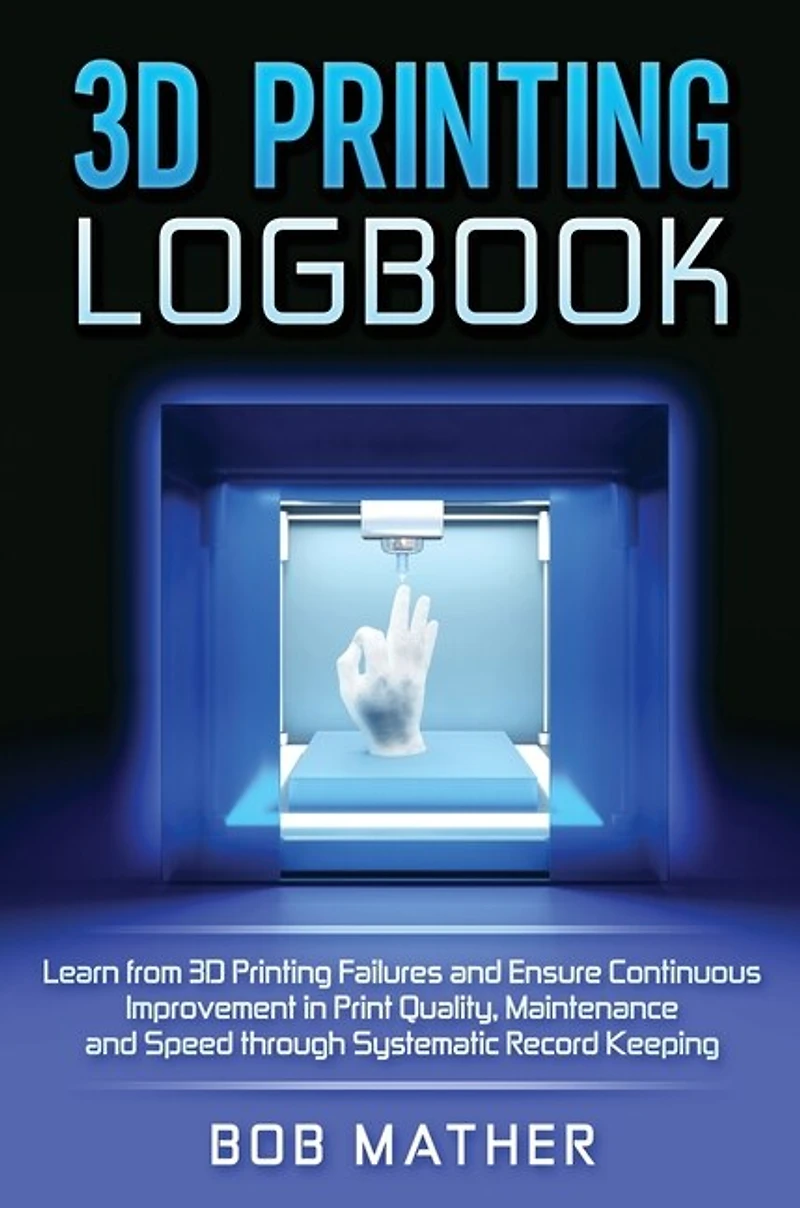
3D Printing Logbook: Learn from 3D Printing Failures and Ensure Continuous Improvement in Print Quality, Maintenance and Speed through Systematic Record Keeping in Ottawa, ON
Current price: $39.99

3D Printing Logbook: Learn from 3D Printing Failures and Ensure Continuous Improvement in Print Quality, Maintenance and Speed through Systematic Record Keeping in Ottawa, ON
Current price: $39.99
Loading Inventory...
Size: Hardcover
*Product information may vary - to confirm product availability, pricing, shipping and return information please contact Coles
Do you keep dealing with the same 3D printing failures again and again? Are you struggling to understand the variation in your 3D print quality and speed? The answer could be a lot simpler than you thought. Having worked in automotive manufacturing for 5 years, I realized the importance of systematic documentation in proper functioning of equipment. When I bought my first 3D printer, the Creality CR-10 5S, the initial excitement turned into frustration when I kept having the same problems with the nozzle, bed and other equipment again and again. I fixed these issues; and when they happened again, I wasted a lot of time looking for the answer on the internet. I could have just documented them. I also noticed that there was a lot of variation in the print time and print quality each time I reset my machine parameters. I had no idea which parameters were significant. I also didn't understand what half the parameters on my slicer software did. The solution to this and other problems was systematic documentation of print parameters, procedures, failures and regular maintenance logs. To prevent others from undergoing the same frustration that I did, I made this outline for logging your 3D prints and doing proper maintenance.
Do you keep dealing with the same 3D printing failures again and again? Are you struggling to understand the variation in your 3D print quality and speed? The answer could be a lot simpler than you thought. Having worked in automotive manufacturing for 5 years, I realized the importance of systematic documentation in proper functioning of equipment. When I bought my first 3D printer, the Creality CR-10 5S, the initial excitement turned into frustration when I kept having the same problems with the nozzle, bed and other equipment again and again. I fixed these issues; and when they happened again, I wasted a lot of time looking for the answer on the internet. I could have just documented them. I also noticed that there was a lot of variation in the print time and print quality each time I reset my machine parameters. I had no idea which parameters were significant. I also didn't understand what half the parameters on my slicer software did. The solution to this and other problems was systematic documentation of print parameters, procedures, failures and regular maintenance logs. To prevent others from undergoing the same frustration that I did, I made this outline for logging your 3D prints and doing proper maintenance.
You May Also Like















More About Coles at Bayshore Shopping Centre
Coles is renowned for its outstanding customer service and great selection of books. Along with the vast array of magazines, stationary, audio-books, children's literature, fiction, non-fiction and reference books, you can find accessories to make your reading experience more pleasurable. We can recommend the very best in reading today. We will help you search our titles for exactly what you need, and if we do not have it in stock, we will order it for you.
100 Bayshore Dr, Nepean, ON K2B 8C1, Canada
Find Coles at Bayshore Shopping Centre in Ottawa, ON
Visit Coles at Bayshore Shopping Centre in Ottawa, ON