
Give the Gift of Choice!
Too many options? Treat your friends and family to their favourite stores with a Bayshore Shopping Centre gift card, redeemable at participating retailers throughout the centre. Click below to purchase yours today!Purchase HereHome
Learn Visual Basic: A Step-By-Step Programming Tutorial
Coles
Loading Inventory...
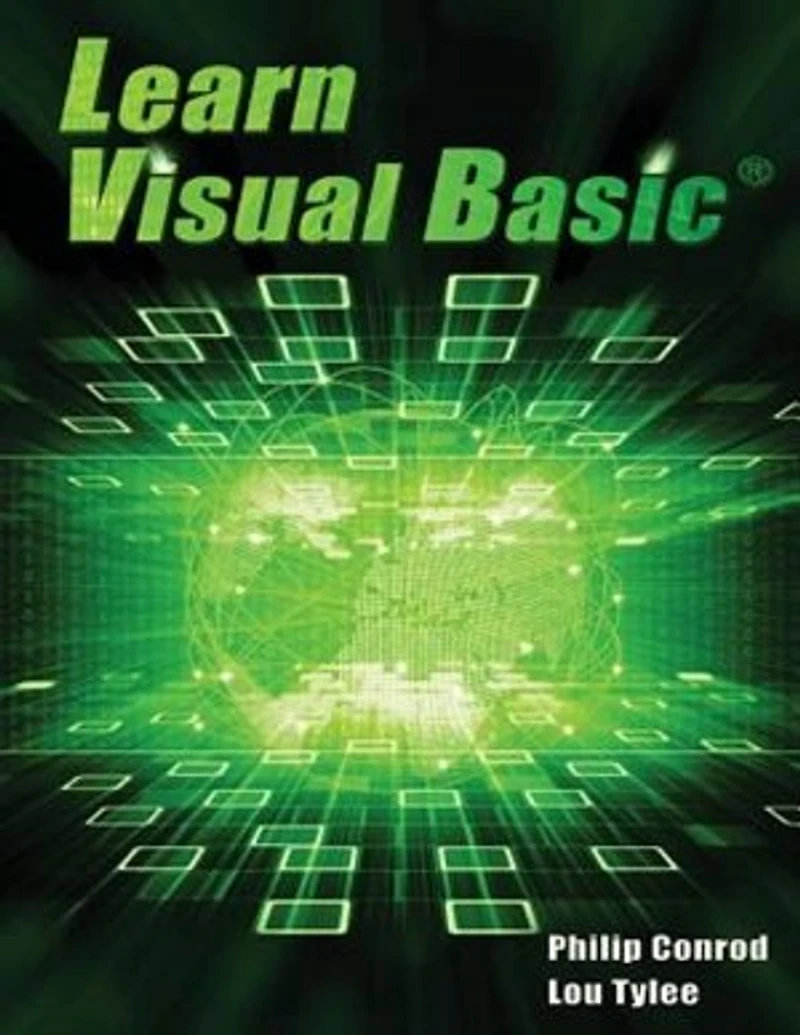
Learn Visual Basic: A Step-By-Step Programming Tutorial in Ottawa, ON
Current price: $101.00

Learn Visual Basic: A Step-By-Step Programming Tutorial in Ottawa, ON
Current price: $101.00
Loading Inventory...
Size: Paperback
*Product information may vary - to confirm product availability, pricing, shipping and return information please contact Coles
LEARN VISUAL BASIC is a comprehensive step-by-step programming tutorial covering object-oriented programming, the Visual Basic integrated development environment, building and distributing Windows applications using the Windows Installer, exception handling, sequential file access, graphics, multimedia, advanced topics such as web access, printing, and HTML help system authoring. The tutorial also introduces database applications (using ADO .NET) and web applications (using ASP.NET). This curriculum has been used in college and universities for over two decades. It is also used as a college prep advanced placement course for high school students. The focus of LEARN VISUAL BASIC is to use the objects and capabilities of Visual Basic to build a wide variety of useful desktop applications. Students will also develop their own objects. Some of the applications built include: Stopwatch, Calendar Display, Loan Repayment Calculator, Flash Card Math Game, Database Input Screen, Statistics Calculator, Tic-Tac-Toe Game, Capital City Quiz, Information Tracker (with plotting), Blackjack, Line, Bar and Pie charts, a version of the first video game ever - Pong, and a Telephone Directory. LEARN VISUAL BASIC is presented using a combination of over 850 pages of self-study notes and over 100 Visual Basic practical examples and applications. To grasp the concepts presented in LEARN VISUAL BASIC, you should possess a working knowledge of Windows and have had some exposure to programming concepts. Our Beginning Visual Basic course would provide you with this exposure. LEARN VISUAL BASIC requires a Microsoft Windows operating system. This tutorial also requires the free Community Edition or Professional Edition of Microsoft Visual Studio. The Visual Basic source code solutions and all needed multimedia files are included in the compressed download file available from the Publisher's website (KidwareSoftware.com) after book registration.
LEARN VISUAL BASIC is a comprehensive step-by-step programming tutorial covering object-oriented programming, the Visual Basic integrated development environment, building and distributing Windows applications using the Windows Installer, exception handling, sequential file access, graphics, multimedia, advanced topics such as web access, printing, and HTML help system authoring. The tutorial also introduces database applications (using ADO .NET) and web applications (using ASP.NET). This curriculum has been used in college and universities for over two decades. It is also used as a college prep advanced placement course for high school students. The focus of LEARN VISUAL BASIC is to use the objects and capabilities of Visual Basic to build a wide variety of useful desktop applications. Students will also develop their own objects. Some of the applications built include: Stopwatch, Calendar Display, Loan Repayment Calculator, Flash Card Math Game, Database Input Screen, Statistics Calculator, Tic-Tac-Toe Game, Capital City Quiz, Information Tracker (with plotting), Blackjack, Line, Bar and Pie charts, a version of the first video game ever - Pong, and a Telephone Directory. LEARN VISUAL BASIC is presented using a combination of over 850 pages of self-study notes and over 100 Visual Basic practical examples and applications. To grasp the concepts presented in LEARN VISUAL BASIC, you should possess a working knowledge of Windows and have had some exposure to programming concepts. Our Beginning Visual Basic course would provide you with this exposure. LEARN VISUAL BASIC requires a Microsoft Windows operating system. This tutorial also requires the free Community Edition or Professional Edition of Microsoft Visual Studio. The Visual Basic source code solutions and all needed multimedia files are included in the compressed download file available from the Publisher's website (KidwareSoftware.com) after book registration.
You May Also Like







More About Coles at Bayshore Shopping Centre
Coles is renowned for its outstanding customer service and great selection of books. Along with the vast array of magazines, stationary, audio-books, children's literature, fiction, non-fiction and reference books, you can find accessories to make your reading experience more pleasurable. We can recommend the very best in reading today. We will help you search our titles for exactly what you need, and if we do not have it in stock, we will order it for you.
100 Bayshore Dr, Nepean, ON K2B 8C1, Canada
Find Coles at Bayshore Shopping Centre in Ottawa, ON
Visit Coles at Bayshore Shopping Centre in Ottawa, ON