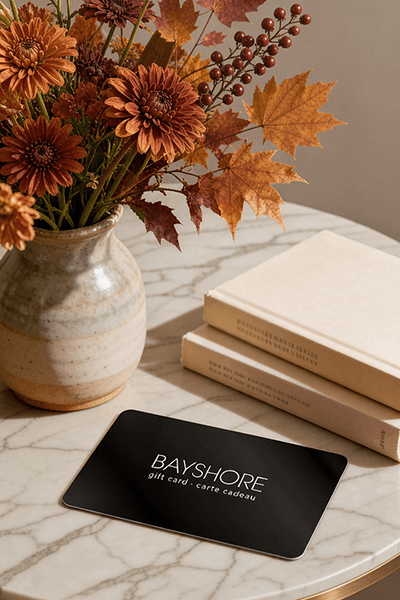
Too many options? Treat your friends and family to their favourite stores with a Bayshore Shopping Centre gift card, redeemable at participating retailers throughout the centre. Click below to purchase yours today!Purchase Here
Coles Microsoft Excel for Beginners and Intermediates at Bayshore Shopping Centre in Ottawa, ON
*Product information may vary - to confirm product availability, pricing, shipping and return information please contact Coles
The Microsoft Excel (Ms-Excel) application is one of the many applications in the Microsoft Office package. Ms-Excel is used in offices, schools, and organizations to create financial and accounting sheets and documentation such as balanced sheet, profit, and loss profit. You can also add some graphics and designs in your worksheet or documents.
Course Objectives
In this Ms-Excel course, we will utilize a practical or hands-on approach to show how you can create simple Excel documents or worksheets or workbook with pre-formatted texts, tables and adding some graphics and designs. You will learn the skills of editing texts, formatting texts, creating tables, adding designs to your workbook. You will also learn to do some financial calculations at the end of this course.
Pre-Requirements and Target Audience
The course is designed for both beginners who do not have any prior background in Ms-Excel, and for intermediate level people who also wish to extend their practical/hand-on skills and knowledge.
To achieve or fully take advantage of this course, you need to have some prior knowledge Windows operating system environments.
It is important you have a laptop or desktop computer with the Ms-Excel application installed, preferably, a laptop with Windows 10 and with Office365.
The Microsoft Excel (Ms-Excel) application is one of the many applications in the Microsoft Office package. Ms-Excel is used in offices, schools, and organizations to create financial and accounting sheets and documentation such as balanced sheet, profit, and loss profit. You can also add some graphics and designs in your worksheet or documents.
Course Objectives
In this Ms-Excel course, we will utilize a practical or hands-on approach to show how you can create simple Excel documents or worksheets or workbook with pre-formatted texts, tables and adding some graphics and designs. You will learn the skills of editing texts, formatting texts, creating tables, adding designs to your workbook. You will also learn to do some financial calculations at the end of this course.
Pre-Requirements and Target Audience
The course is designed for both beginners who do not have any prior background in Ms-Excel, and for intermediate level people who also wish to extend their practical/hand-on skills and knowledge.
To achieve or fully take advantage of this course, you need to have some prior knowledge Windows operating system environments.
It is important you have a laptop or desktop computer with the Ms-Excel application installed, preferably, a laptop with Windows 10 and with Office365.
Coles is renowned for its outstanding customer service and great selection of books. Along with the vast array of magazines, stationary, audio-books, children's literature, fiction, non-fiction and reference books, you can find accessories to make your reading experience more pleasurable. We can recommend the very best in reading today. We will help you search our titles for exactly what you need, and if we do not have it in stock, we will order it for you.